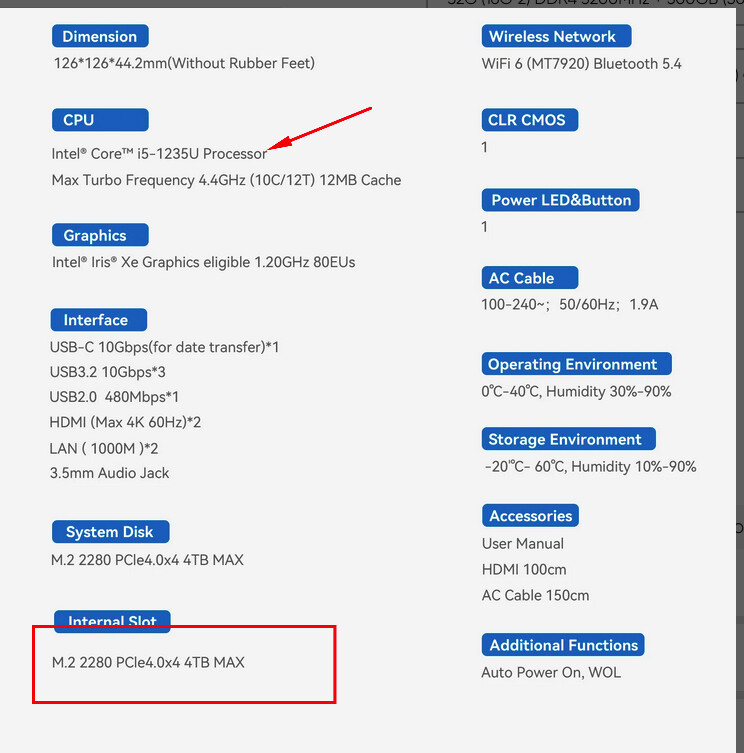
Hello everyone. Can I install and use Hailo 8l M2 module into Beelink EQi12 Intel® Core 1235U+ 32 GB Ram as secondary M2 module?
Welcome to the Hailo Community!
If the M.2 slot support PCIe this should work in most cases. When you run Ubuntu 22.04 or 24.04 I would expect this to work out of the box using the HailoRT and HailoRT PCIe driver deb files from the Developer Zone.
The Hailo-8/8L is a PCIe Gen 3 device supporting up to x4 lanes. At boot, the PCIe controller and module automatically negotiate the link width and speed, so no special configuration is required for basic detection of the Hailo-8.
You don’t need a custom driver just to see the device. Any modern OS with PCIe support like Linux will enumerate it normally. The HailoRT PCIe driver is only required when you want to run inference workloads.
After installing the module and powering on, run:
lspci | grep -i hailo
You should see the Hailo device listed. For more details, including negotiated link speed and width, use:
lspci -vvv -s <device_id>
When you see the Hailo device with the above commands, you can install HailoRT and the HailoRT PCIe driver.
@KlausK , thanks for info, I tried use converter M+B key to A+E key (WIFI M2) and please ‘DON`T DO THAT’, old mini PC with Intel N100 was fired.