Hi,
I have a Hailo-8L M.2 B+M module.
Issue 1:
-
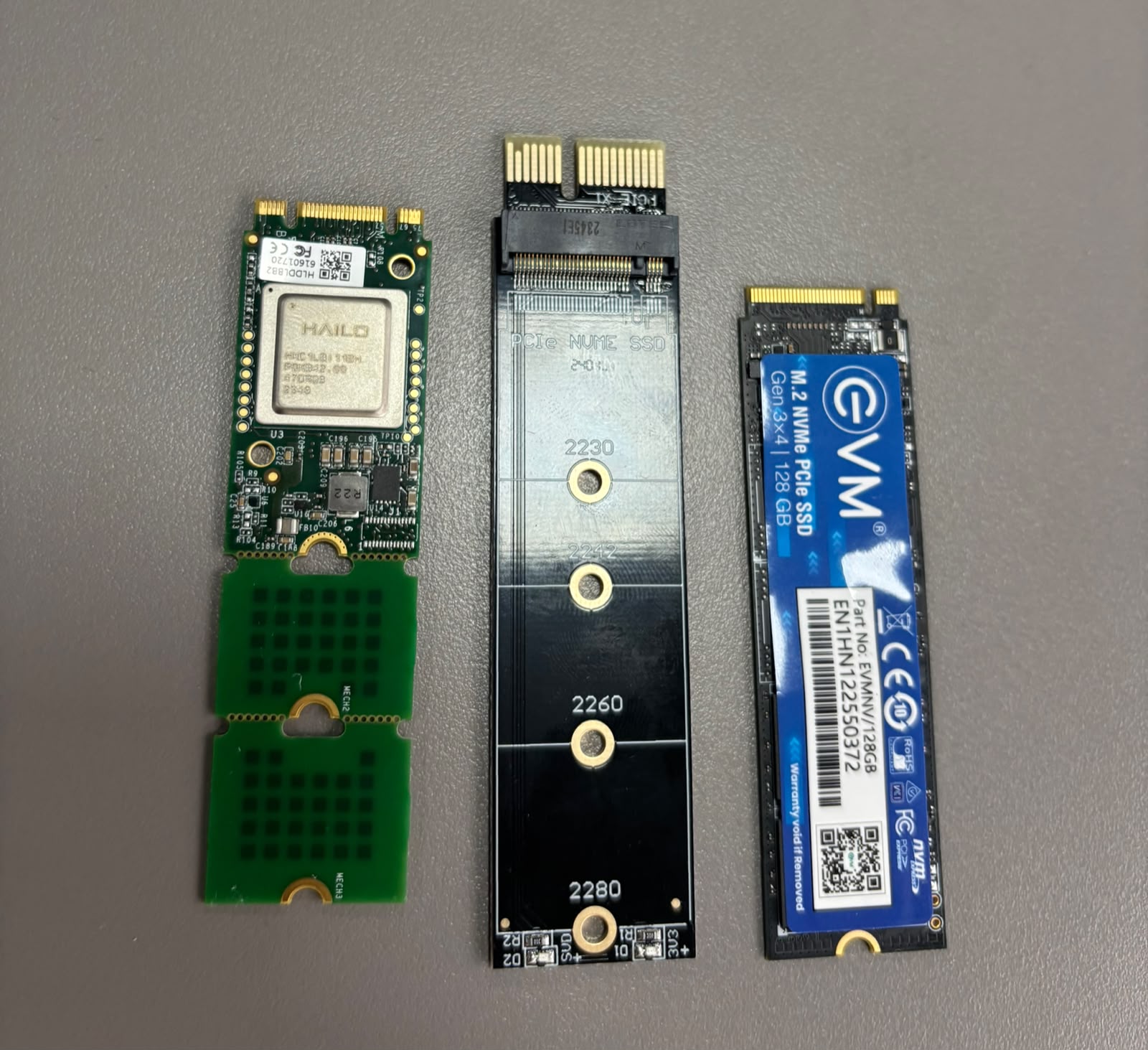
The module is connected through an M.2 PCIe/NVMe adapter.
-
The card is not being detected.
-
Has anyone successfully used a Hailo-8L B+M module with a PCIe adapter on x86 or embedded Linux?
-
Which adapters are known to work?
Issue 2:
-
My target platform is an NXP i.MX6 (Cortex-A9, ARMv7, 32-bit Linux, Yocto/Poky).
-
The board has PCIe support.
-
Has anyone successfully built HailoRT and the PCIe driver for ARMv7 32-bit?
-
Are there any known limitations or patches required?
Any guidance would be appreciated.
Thanks.
Welcome to the Hailo Community!
Can you show a picture of the adapter and provide a link to the source?
If you mean PCIe card to M.2 adapter for PCIe slots, please have a look at the following two posts. We have tried different models on x86 and Arm based platforms. They tend to work as expected.
Hailo Community - How can I connect a Hailo-8/8L to my PC or laptop?
Hailo Community - How can I connect a Hailo-8 to a Raspberry Pi 4?
I would recommend testing the adapter in a PC with Ubuntu to rule out electrical issues of the adapter. It should work out-of-the-box. You do not even need a driver. Just run the lspci command to verify the system can see the Hailo-8 device.
HailoRT and PCIe driver has been built by our customers for many different platforms including iMX6.
Hi Klaus,
I just went through the link which you sent . Can you please provide me the product links for them . I exactly want PCI 1x.
Thanks
Thank you for the information.
Regarding the PCIe adapter, I am currently using:
ETZIN PCIe x1 to M.2 NVMe Adapter
Amazon link:
https://www.amazon.in/ETZIN-Express-Interface-Adapter-EPL/dp/B0B25BQG8V
I have attached photos of the adapter and the Hailo-8L module.
The card is currently not being detected when running on x86 PC. (lspci)does not show a Hailo device.
Are there any known PCIe adapter requirements or known working adapter models specifically for the Hailo-8L M.2 B+M module?
Also, regarding i.MX6 support, is there any documentation, example build configuration, or recommended HailoRT version for ARMv7 (32-bit)?
The fact that the Hailo module does not appear in lspci is the first thing to resolve. If the PCIe device is not enumerated, the issue is likely at the hardware/PCIe level.
A few things to check:
- Does the M.2-to-PCIe adapter work with your PCIe NVMe SSD? This would confirm that the adapter and PCIe slot are functional.
- Check BIOS settings to ensure the PCIe slot is enabled. If available, try forcing the slot to PCIe Gen3 instead of Auto.
- If possible, test the Hailo-8 M.2 module directly in a motherboard M.2 Key M slot that supports PCIe NVMe devices. If it appears in
lspci there, the adapter is likely the issue.
- If the module has been used successfully in another system, that would also help isolate the problem.
I have only used the standard PCIe card-style adapters, not this specific M.2 adapter type. These generic adapters have generally worked for me. Make sure it is seated correctly. There seem to be LEDs on the adapter. Do these light up?
For i.MX6 / ARMv7 support, Hailo provides Yocto integration through meta-hailo:
GitHub - meta-hailo
The exact HailoRT version for i.MX6 may depend on the Yocto release and BSP/kernel configuration, since many newer deployments have moved to newer Arm platforms.