I am working on a Raspberry Pi 5 with a Hailo accelerator and ROS 2.
I have two different ROS 2 nodes, each using a different neural network (different HEF files) running on Hailo.
My goal is to alternate between these two nodes, i.e.:
Start node A (uses network A on Hailo)
Stop node A
Start node B (uses network B on Hailo)
However, even after stopping node A, when I start node B I get an error indicating that the Hailo device is already in use.
This happens even though node A is no longer active from the ROS point of view.
My questions are:
Is the Hailo device exclusive per process, and only released when the process fully exits?
Is it expected that stopping or deactivating a ROS 2 node does not release the Hailo device?
Is there a supported way to switch between multiple networks across different nodes, or is the recommended approach to use a single process/node that loads multiple HEFs and switches between them internally?
Any clarification on the expected behavior and best practices for this use case would be appreciated.
If you use Hailo-8 or Hailo-8L and your app uses multiple processes, the recommended approach is to use the Multi Process Service. This way, all your processes communicate with the service, and the service is the only process that communicates directly with the kernel driver. The code change in your app that is needed to work through the service is very small, and the app can stay mostly the same. Please see the HailoRT User Guide for more details.
In addition, there is no need to manually switch between models/HEFs. You can load all HEFs you need and use them concurrently. Under the hood, the scheduler, that is part of the HailoRT library, or part of the service in case of a multi process app, will take care of loading the right model every time.
I have not tried this myself. But I already found, that my packages have a mismatch:-( The systemd unit file expects the daemon in /usr/local/bin while it’s now installed in /usr/bin/ So, take all the docs with a grain of salt!
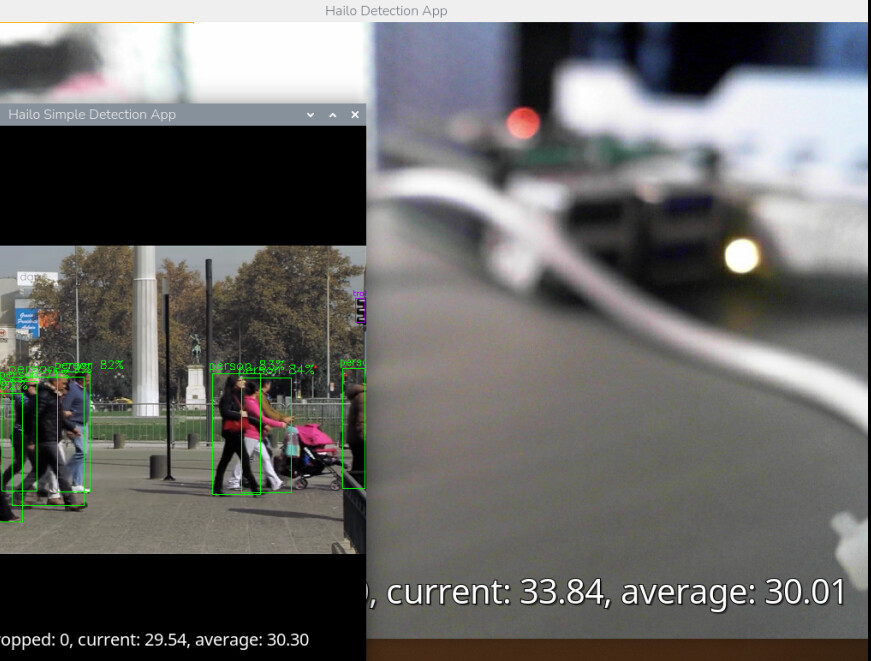
Yes, I modified the hailo-rpi5-examples./venv_hailo_rpi_examples/lib/python3.12/site-packages/hailo_apps/hailo_app_python/apps/pose_estimation/pose_estimation_pipeline.py ./venv_hailo_rpi_examples/lib/python3.12/site-packages/hailo_apps/hailo_app_python/apps/detection/detection_pipeline.py to include the multi_process_service=‘true’ and two system processes can share one device. But they are both running way slower than alone! So, my guess is, that’s a workable solution when you only need ‘switchable’ models (one at a time as needed).
Running the same network on different video streams might be ok, but I tried to run different networks (detection example and pose estimation example) and at that point, the framerate is << 5 fps.
Two hailo-detect -f 10 --show-fps processes seem to be able to keep up at 10 fps.
Can you please confirm if running in parallel from our new hailo-apps repo + following the running parallel guide there, resulting in your case low FPS?
can I get to about 24 fps for both.
That’s on a Pi5 with 8GB RAM, a HAILO-8 (AI+ hat) running Ubuntu 24.04 (6.8.0-1047-raspi).
The RT kernel alone does not improve things.
 So, take all the docs with a grain of salt!