Multiple versions of .hef converted from my custom .onnx model but none compatible with Rpi5 +AI HAT+(hailo8l)

I have been working on deploying my custom trained .hef model onto my Rpi5+AI HAT+ (hailo8l) for the last couple of days. I had a few .hef files generated but seems none can be recognized by hailo8l.

while the default hailo models yolov8s_h8.hef has the structure below:

alice@charpie:~ $ hailortcli parse-hef /usr/share/hailo-models/yolov8s_h8.hef
Architecture HEF was compiled for: HAILO8
Network group name: yolov8s, Single Context
    Network name: yolov8s/yolov8s
        VStream infos:
            Input  yolov8s/input_layer1 UINT8, NHWC(640x640x3)
            Output yolov8s/yolov8_nms_postprocess FLOAT32, HAILO NMS BY CLASS(number of classes: 80, maximum bounding boxes per class: 100, maximum frame size: 160320)
            Operation:
                Op YOLOV8
                Name: YOLOV8-Post-Process
                Score threshold: 0.200
                IoU threshold: 0.70
                Classes: 80
                Cross classes: false
                NMS results order: BY_CLASS
                Max bboxes per class: 100
                Image height: 640
                Image width: 640

Mine looks like this:
alice@charpie:~ $ hailortcli parse-hef /home/alice/yolov8n_uw_0601.hef
Architecture HEF was compiled for: HAILO8L
Network group name: model, Multi Context - Number of contexts: 3
Network name: model/model
VStream infos:
Input model/input_layer1 UINT8, NHWC(640x640x3)
Output model/conv41 UINT8, FCR(80x80x64)
Output model/conv42 UINT8, NHWC(80x80x4)
Output model/conv52 UINT8, FCR(40x40x64)
Output model/conv53 UINT8, NHWC(40x40x4)
Output model/conv62 UINT8, FCR(20x20x64)
Output model/conv63 UINT8, FCR(20x20x4)

OR this:

alice@charpie:~/charpie $ hailortcli parse-hef /home/alice/charpie/yolov8n_uw.hef
Architecture HEF was compiled for: HAILO8L
Network group name: model, Multi Context - Number of contexts: 3
    Network name: model/model
        VStream infos:
            Input  model/input_layer1 UINT8, NHWC(640x640x3)
            Output model/conv41 UINT8, FCR(80x80x64)
            Output model/conv42 UINT8, NHWC(80x80x4)
            Output model/conv52 UINT8, FCR(40x40x64)
            Output model/conv53 UINT8, NHWC(40x40x4)
            Output model/conv62 UINT8, FCR(20x20x64)
            Output model/conv63 UINT8, FCR(20x20x4)

OR THIS:

alice@charpie:~ $ hailortcli parse-hef /home/alice/best.hef
Architecture HEF was compiled for: HAILO8L
Network group name: best, Multi Context - Number of contexts: 6
    Network name: best/best
        VStream infos:
            Input  best/input_layer1 UINT8, NHWC(640x640x3)
            Output best/format_conversion13 UINT8, FCR(1x8x8400)

I guess i got the nms_process wrong so I am trying to re-do the whole parse—optimize—compile DFC steps all over again. But got stuck with the .alls script syntax.

Has anyone encounted the same issue as me, while deploying your own trained yolov8 model onto Rpi5+AI HAT+(hailo8l)? Would be really great to share experience so we can work around this asap.:smiley:

Hi @Liping_Jin,

Probably HEF is missing the on-chip NMS layer. The raw conv outputs (conv41, conv42, etc.) mean postprocessing wasn’t included during compilation.

Add this to your .alls script:

nms_postprocess("^model/conv41$|^model/conv42$|^model/conv52$|^model/conv53$|^model/conv62$|^model/conv63$", meta_arch=yolov8, engine=cpu, nms_scores_th=0.2, nms_iou_th=0.7, classes=YOUR_NUM_CLASSES, regression_length=16, max_proposals_per_class=100)

Also, export your ONNX without built-in NMS:

model.export(format="onnx", opset=11, simplify=True, nms=False)

Then re-run the full parse → optimize → compile flow.

Reference the Hailo Model Zoo .alls for YOLOv8: https://github.com/hailo-ai/hailo_model_zoo/tree/master/hailo_model_zoo/cfg/alls/hailo8l/base

Thanks,

Thank you so much for your reply, Michael.

I will re-run as your guide and update accordingly. Just one more thing on the .alls script, shall i use strictly the reference standard in github as below:

normalization1 = normalization([0.0, 0.0, 0.0], [255.0, 255.0, 255.0])
change_output_activation(conv42, sigmoid)
change_output_activation(conv53, sigmoid)
change_output_activation(conv63, sigmoid)
nms_postprocess("../../postprocess_config/yolov8n_nms_config.json", meta_arch=yolov8, engine=cpu)

allocator_param(width_splitter_defuse=disabled, spatial_defuse_legacy=True)

Or shall i replace conv42, conv53, conv63 to the real end nodes during parsing such as /model.22/cv2.0/cv2.0.2/Conv from the results below?

(hailo_env) alice@alice-simulation:~/underwater_project/scripts$ python3 0601_parse_model.py
[info] No GPU chosen, Selected GPU 0
[info] Translation started on ONNX model model
[info] Restored ONNX model model (completion time: 00:00:00.04)
[info] Extracted ONNXRuntime meta-data for Hailo model (completion time: 00:00:00.18)
[info] NMS structure of yolov6 (or equivalent architecture) was detected.
[info] In order to use HailoRT post-processing capabilities, these end node names should be used: /model.22/cv2.0/cv2.0.2/Conv /model.22/cv3.0/cv3.0.2/Conv /model.22/cv2.1/cv2.1.2/Conv /model.22/cv3.1/cv3.1.2/Conv /model.22/cv2.2/cv2.2.2/Conv /model.22/cv3.2/cv3.2.2/Conv.
[info] Start nodes mapped from original model: 'images': 'model/input_layer1'.
[info] End nodes mapped from original model: '/model.22/cv2.0/cv2.0.2/Conv', '/model.22/cv3.0/cv3.0.2/Conv', '/model.22/cv2.1/cv2.1.2/Conv', '/model.22/cv3.1/cv3.1.2/Conv', '/model.22/cv2.2/cv2.2.2/Conv', '/model.22/cv3.2/cv3.2.2/Conv'.
[info] Translation completed on ONNX model model (completion time: 00:00:00.56)
[info] Saved HAR to: /home/alice/underwater_project/models/yolov8n_uw_0601.har

Most importantly, if i have to use the real end-nodes, what is the correct syntax for the sentence below in the model script .alls, as in do i need double quotes, single quotes or no quotes on the whole sentence and on the node name itself? Can you please make me an example?

change_output_activation(/model.22/cv2.0/cv2.0.2/Conv, sigmoid)

Thank you sooooooo much!

Hi Michael, I just tried the new export setting and following steps and got stuck

0603_export_onnx.py

# EXPORT ONLY → converts best.pt → ONNX
import os
from ultralytics import YOLO

def main():
    project_dir = '/home/alice/underwater_project'
    best_pt_path = "/home/alice/underwater_project/runs/uw_train_2026-06-01/weights/best.pt"
    model = YOLO(best_pt_path)
    export_path = model.export(
        format='onnx',
        imgsz=640,
        opset=11,
        simplify=True,
        batch=1,
        nms=False,
        dynamic=False,
        task='detect'
    )

    target_dir = os.path.join(project_dir, 'models')
    os.makedirs(target_dir, exist_ok=True)
    target_path = os.path.join(target_dir, 'best_uw_0603.onnx')
    os.rename(export_path, target_path)

    print(f"✅ ONNX model saved to: {target_path}")

And then parse script: 0603_parse_model.py

from hailo_sdk_client import ClientRunner
from pathlib import Path

project_root = Path('/home/alice/underwater_project')
onnx_path = project_root / 'models' / 'best_uw_0603.onnx'

end_nodes = [
    "/model.22/cv2.0/cv2.0.2/Conv", "/model.22/cv3.0/cv3.0.2/Conv",
    "/model.22/cv2.1/cv2.1.2/Conv", "/model.22/cv3.1/cv3.1.2/Conv",
    "/model.22/cv2.2/cv2.2.2/Conv", "/model.22/cv3.2/cv3.2.2/Conv",
]

def parse_onnx():
    runner = ClientRunner(hw_arch='hailo8l')
    runner.translate_onnx_model(
        str(onnx_path),
        model_name="yolov8n_uw_0603",
        end_node_names=end_nodes
    )
    runner.save_har(str(project_root / 'models' / 'yolov8n_uw_0603.har'))

if __name__ == '__main__':
    parse_onnx()

Then the step of loading the model script 0603_model_script.alls:

from hailo_sdk_client import ClientRunner
from pathlib import Path
project_root = Path('/home/alice/underwater_project')
INPUT_HAR  = project_root / 'models' / 'yolov8n_uw_0603.har'
OUTPUT_HAR = project_root / 'models' / 'yolov8n_uw_0603_final.har'

def main():
    script = """normalization([0.0,0.0,0.0],[255.0,255.0,255.0])
scope /model.22
    change_output_activation(cv2.0/cv2.0.2/Conv,sigmoid)
    change_output_activation(cv3.0/cv3.0.2/Conv,sigmoid)
    change_output_activation(cv2.1/cv2.1.2/Conv,sigmoid)
    change_output_activation(cv3.1/cv3.1.2/Conv,sigmoid)
    change_output_activation(cv2.2/cv2.2.2/Conv,sigmoid)
    change_output_activation(cv3.2/cv3.2.2/Conv,sigmoid)
end_scope
nms_postprocess("^model/conv41$|^model/conv42$|^model/conv52$|^model/conv53$|^model/conv62$|^model/conv63$",meta_arch=y>
allocator_param(width_splitter_defuse=disabled)"""

    print("Loading model...")
    runner = ClientRunner(hw_arch='hailo8l')
    runner.load_har(str(INPUT_HAR))

    print("Loading model script...")
    runner.load_model_script(script)

if __name__ == '__main__':
    main()

Apparently this last 0603_model_script.alls is wrong, most likely the 6 lines of change_output_activation because i got lots of errors no matter how i play with the syntax.

Would really apprecaite it if you can help on this script.
Anyway, I feel only a step away to getting a compatible .hef for my Rpi5+AI HAT+ (hailo8l) now!

I ran the first 2 python scripts smoothly without any trouble but got stuck on the 3rd one 0603_model_script.alls. Changing the syntax inside just gives me different forms of error msgs.

Hi @Liping_Jin,

Here’s the corrected script. The main issues were:

  1. Don’t use ONNX path names - use the short Hailo internal names (conv42, conv53, conv63)
  2. No scope blocks needed
  3. Only classification heads (cv3.xconv42/53/63) get sigmoid, not regression heads (cv2.x)
  4. nms_postprocess regex must match your model’s actual output names

Corrected 0603_model_script.py:

from hailo_sdk_client import ClientRunner
from pathlib import Path

project_root = Path('/home/alice/underwater_project')
INPUT_HAR  = project_root / 'models' / 'yolov8n_uw_0603.har'
OUTPUT_HAR = project_root / 'models' / 'yolov8n_uw_0603_optimized.har'

NUM_CLASSES = 6  # ← change to your actual number of classes

def main():
    script = f"""
normalization1 = normalization([0.0, 0.0, 0.0], [255.0, 255.0, 255.0])
change_output_activation(conv42, sigmoid)
change_output_activation(conv53, sigmoid)
change_output_activation(conv63, sigmoid)
nms_postprocess("^yolov8n_uw_0603/conv41$|^yolov8n_uw_0603/conv42$|^yolov8n_uw_0603/conv52$|^yolov8n_uw_0603/conv53$|^yolov8n_uw_0603/conv62$|^yolov8n_uw_0603/conv63$", meta_arch=yolov8, engine=cpu, nms_scores_th=0.2, nms_iou_th=0.7, classes={NUM_CLASSES}, regression_length=16, max_proposals_per_class=100)
allocator_param(width_splitter_defuse=disabled)
"""

    print("Loading HAR...")
    runner = ClientRunner(hw_arch='hailo8l')
    runner.load_har(str(INPUT_HAR))

    print("Applying model script...")
    runner.load_model_script(script)

    print("Optimizing (this takes a while)...")
    runner.optimize(calib_dataset)  # or use runner.optimize() with your calibration data

    print("Saving optimized HAR...")
    runner.save_har(str(OUTPUT_HAR))
    print(f"✅ Done: {OUTPUT_HAR}")

if __name__ == '__main__':
    main()

Use the short names (conv42, conv53, conv63) - not the ONNX paths. Hailo’s parser already mapped them internally. The names from your earlier parse-hef output confirm the mapping.

If the regex in nms_postprocess doesn’t match, try with just the short names: "^conv41$|^conv42$|^conv52$|^conv53$|^conv62$|^conv63$" - the prefix depends on how the HAR stores them.

Thanks,

@Michael thanks so much for the details. I finally managed to generate a new .hef and will be testing it tomorrow on my Rpi5+AI HAT+ (hailo8l)
0603_model_script.py

from hailo_sdk_client import ClientRunner
from pathlib import Path
import numpy as np

project_root = Path('/home/alice/underwater_project')
INPUT_HAR  = project_root / 'models' / 'yolov8n_uw_0603.har'
OUTPUT_HAR = project_root / 'models' / 'yolov8n_uw_0603_optimized.har'

NUM_CLASSES = 4  # ← change to your actual number of classes

def main():
    script = f"""
normalization1 = normalization([0.0, 0.0, 0.0], [255.0, 255.0, 255.0])
change_output_activation(conv42, sigmoid)
change_output_activation(conv53, sigmoid)
change_output_activation(conv63, sigmoid)
nms_postprocess("/home/alice/underwater_project/scripts/0603_nms_config.json", meta_arch=yolov8, engine=cpu)
allocator_param(width_splitter_defuse=disabled)
"""

    print("Loading HAR...")
    runner = ClientRunner(hw_arch='hailo8l')
    runner.load_har(str(INPUT_HAR))
    print("Applying model script...")
    runner.load_model_script(script)
    print("Optimizing (this takes a while)...")
    calib_dataset = np.load("/home/alice/underwater_project/models/calib_set_640.npy")
    runner.optimize(calib_dataset)  # or use runner.optimize() with your calibration data
    print("Saving optimized HAR...")
    runner.save_har(str(OUTPUT_HAR))
    print(f"✅ Done: {OUTPUT_HAR}")
    hef = runner.compile()
    with open("/home/alice/underwater_project/models/yolov8n_uw_0603.hef", "wb") as f:
        f.write(hef)
    print("✅ Done: HEF generated!")

if __name__ == '__main__':
    main()

Also i am using a separate 0603_nms_config.json file as below:

{
    "nms_scores_th": 0.2,
    "nms_iou_th": 0.7,
    "image_dims": [
        640,
        640
    ],
    "max_proposals_per_class": 100,
    "classes": 4,
    "regression_length": 16,
    "background_removal": false,
    "bbox_decoders": [
        {
            "name": "bbox_decoder41",
            "stride": 8,
            "reg_layer": "conv41",
            "cls_layer": "conv42"
        },
        {
            "name": "bbox_decoder52",
            "stride": 16,
            "reg_layer": "conv52",
            "cls_layer": "conv53"
        },
        {
            "name": "bbox_decoder62",
            "stride": 32,
            "reg_layer": "conv62",
            "cls_layer": "conv63"
        }
    ]
}


all went well. Hopefully I can validate my .hef result on Rpi5 successfully.

A huge Thank you to you.

1 Like

Thanks @Liping_Jin and glad it worked.

@Michael Hi Michael, I got the error below when trying to check the .hef structure on my Rpi5 first thing this morning, which seems to be a version mismatch problem?

alice@charpie:~ $ hailortcli parse-hef /home/alice/yolov8n_uw_0603.hef
[HailoRT] [error] CHECK failed - HEF file length does not match
[HailoRT] [error] CHECK_SUCCESS failed with status=HAILO_INVALID_HEF(26)
[HailoRT] [error] Failed parsing HEF file
[HailoRT] [error] Failed creating HEF
[HailoRT] [error] CHECK_SUCCESS failed with status=HAILO_INVALID_HEF(26)
[HailoRT CLI] [error] CHECK_SUCCESS failed with status=HAILO_INVALID_HEF(26)

Is it caused by a mismatch between the compiler & hailo DFC?
I have HailoRT 4.20.0 on Rpi5 while on my Ubuntu PC where I compiled .hef, I have hailo DFC3.33.1.
Rpi5:

hailortcli --version
HailoRT-CLI version 4.20.0

Ubuntu PC:

(hailo_env) alice@alice-simulation:~$ hailo --version
[info] No GPU chosen and no suitable GPU found, falling back to CPU.
[info] Current Time: 09:57:37, 06/04/26
[info] CPU: Architecture: x86_64, Model: Intel(R) Core(TM) i7-14700, Number Of Cores: 28, Utilization: 0.1%
[info] Memory: Total: 15GB, Available: 12GB
[info] System info: OS: Linux, Kernel: 6.8.0-117-generic
[info] Hailo DFC Version: 3.33.1
[info] HailoRT Version: Not Installed
[info] PCIe: No Hailo PCIe device was found
[info] Running `hailo --version`
Hailo Dataflow Compiler v3.33.1

If it is a mismatch issue, shall i upgrade the hailoRT on Rpi5 or shall i re-compile using a lower version of hailo DFC on Ubuntu?

On another note, the previous yolov8n_uw_0601.hef generated on the same Ubuntu PC using hailo dfc3.33.1 was able to be parsed on Rpi5 as below. Can you pls shed a light on this? Thank you.

alice@charpie:~ $ hailortcli parse-hef /home/alice/yolov8n_uw_0601.hef
Architecture HEF was compiled for: HAILO8L
Network group name: model, Multi Context - Number of contexts: 3
    Network name: model/model
        VStream infos:
            Input  model/input_layer1 UINT8, NHWC(640x640x3)
            Output model/conv41 UINT8, FCR(80x80x64)
            Output model/conv42 UINT8, NHWC(80x80x4)
            Output model/conv52 UINT8, FCR(40x40x64)
            Output model/conv53 UINT8, NHWC(40x40x4)
            Output model/conv62 UINT8, FCR(20x20x64)
            Output model/conv63 UINT8, FCR(20x20x4)

Hi @Liping_Jin,

Looks like HEF compiled with the same DFC 3.33.1 works fine on that RPi5, which proves compatibility.

The “file length does not match” error means the file was likely truncated during transfer. Try verifying with:

# Compare sizes on both machines:
ls -l yolov8n_uw_0603.hef

# Or checksum:
md5sum yolov8n_uw_0603.hef

If they differ, just re-copy the file to the RPi5 and it should parse correctly.

Thanks,

@Michael
Thank you sooo much. I checked & compared to find the HEF got truncated somehow during scp process~ which did not come to my mind

I believe it is now ready for me to play with on Rpi5+AI HAT + (Hailo-8L)

hailortcli parse-hef yolov8n_uw_0603.hef
Architecture HEF was compiled for: HAILO8L
Network group name: model, Multi Context - Number of contexts: 3
    Network name: model/model
        VStream infos:
            Input  model/input_layer1 UINT8, NHWC(640x640x3)
            Output model/yolov8_nms_postprocess FLOAT32, HAILO NMS BY CLASS(number of classes: 4, maximum bounding boxes per class: 100, maximum frame size: 8016)
            Operation:
                Op YOLOV8
                Name: YOLOV8-Post-Process
                Score threshold: 0.200
                IoU threshold: 0.70
                Classes: 4
                Cross classes: false
                NMS results order: BY_CLASS
                Max bboxes per class: 100
                Image height: 640
                Image width: 640

@Michael Hi Michael, as the HEF file is correctly structured now, it gives the wrong detection label for my testing images.
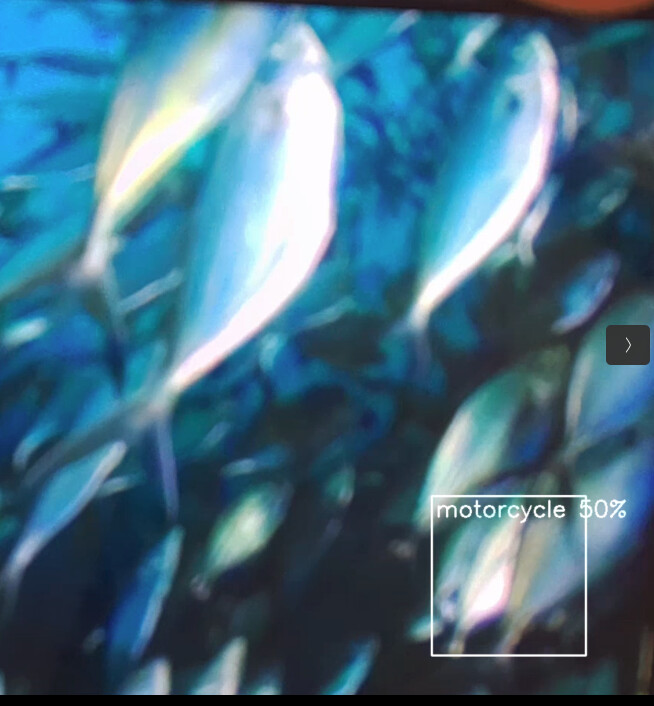
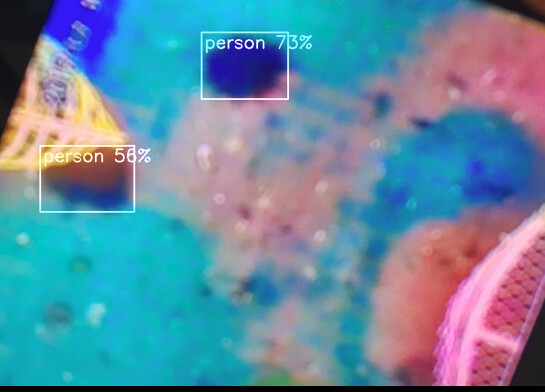
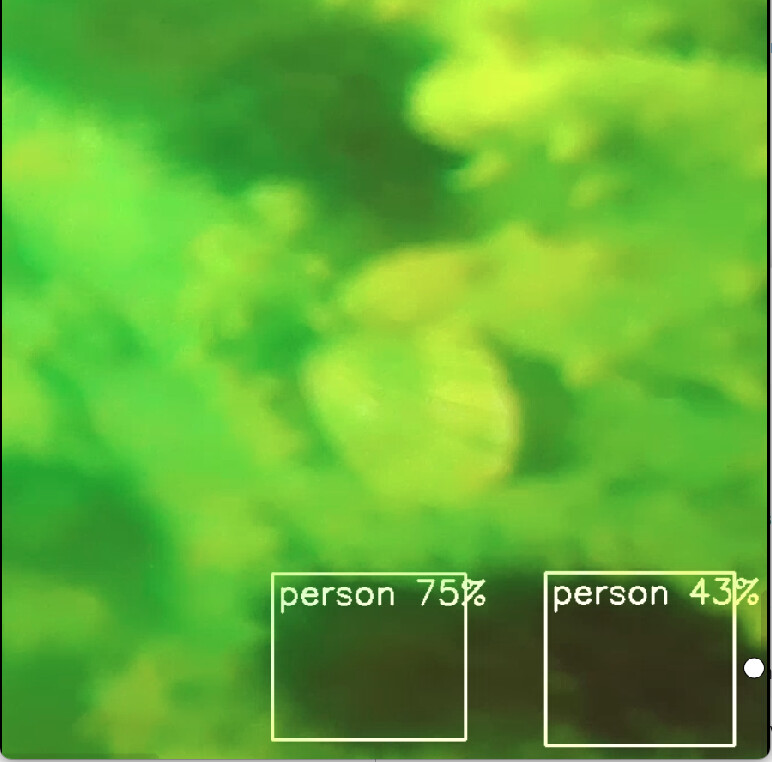
It labels “person” for echinus, and motorcycle for some fish, which still uses the original COCO 80-class weights/indices instead of my custom 4-class dataset! How did that possibly happen?
**My data.yaml: **

train: ../train/images
val: ../valid/images
test: ../test/images

nc: 4
names: ['echinus', 'holothurian', 'scallop', 'starfish']

roboflow:
  workspace: 305155973-qq-com
  project: underwater-objects-5v7p8-fsod-uhus-dsloa
  version: 3
  license: MIT
  url: https://universe.roboflow.com/305155973-qq-com/underwater-objects-5v7p8-fsod-uhus-dsloa/dataset/3


Hi @Liping_Jin,

The HEF is correct - it outputs class indices (0, 1, 2, 3), not label names. The label mapping happens in your application code, not in the HEF.

You’re likely running with the default COCO label file, so index 0 maps to “person” instead of “echinus”.

Fix: Create a custom labels file:

Save it as e.g. underwater_labels.txt, then point your application to it instead of the default COCO labels. How you do that depends on which app you’re using to run inference - for example, in rpicam-apps you’d set the label file path in the JSON config, or in a Python script you’d load your own list.

Thanks,

1 Like

@Michael Thanks Michael. I am using the rpicam-apps.

I created labels.txt and add added “label_file”: “/home/alice/charpie/labels.txt” in the hailo_yolo_inference block.

But I guess the syntax is not correct as I still get “person” for echinus. Can you pls take a quick look? OR Maybe you can point out where exactly in the software guidance I can look for syntaxes myself? Thank you!

{
    "rpicam-apps":
    {
        "lores":
        {
            "width": 640,
            "height": 640,
            "format": "rgb888"
        }
    },

    "hailo_yolo_inference":
    {
        "hef_file_8L": "/home/alice/yolov8n_uw_0605.hef",
        "hef_file_8": "/home/alice/yolov8n_uw_0605.hef",
        "max_detections": 20,
        "threshold": 0.4,
        "classes": 4,
        "label_file": "/home/alice/charpie/labels.txt"
        "temporal_filter":
        {
            "tolerance": 0.1,
            "factor": 0.75,
            "visible_frames": 6,
            "hidden_frames": 3
        }
    },

    "object_detect_draw_cv":
    {
        "line_thickness" : 2
    },

    "debug":
    {
        "print_detections": true
    }
}

labels.txt as below:

echinus
holothurian
scallop
starfish

Well, the video streaming script I am using is as below:

#!/bin/bash
export HAILO_MONITOR=1
rpicam-vid \
--codec libav \
--libav-format rtp \
--width 1920 --height 1080 \
--low-latency \
--framerate 30 \
-n \
-o udp://192.168.2.1:5600 \
--timeout 0 \
--post-process-file /home/alice/charpie/charpie_ai_stream.json

Shall I set the labels here or in the ‘charpie_ai_stream.json’ setting?

Thank you!

PS:
I tried adding "–labels-json " at the end of my video streaming script but still failed with ‘Unrecognized option’ ----labels-json

labels.json as below:

{
    "0": "echinus", 
    "1": "holothurian", 
    "2": "scallop", 
    "3": "starfish"
}

Hi @Liping_Jin,

To follow up on my earlier note about pointing to a custom labels file - here’s the exact format rpicam-apps expects:

The key is hailopp_config_file (not label_file), and it points to a JSON file with a labels array - not a .txt file:

{
    "labels": ["echinus", "holothurian", "scallop", "starfish"]
}

Then reference it in your post-process JSON and remove the unused label_file/classes keys:

"hailo_yolo_inference":
{
    "hef_file_8L": "/home/alice/yolov8n_uw_0605.hef",
    "hef_file_8": "/home/alice/yolov8n_uw_0605.hef",
    "hailopp_config_file": "/home/alice/charpie/uw_labels.json",
    "max_detections": 20,
    "threshold": 0.4,
    "temporal_filter": { "tolerance": 0.1, "factor": 0.75, "visible_frames": 6, "hidden_frames": 3 }
},

Array order = class index, so it matches your data.yaml names. Also drop --labels-json from your rpicam-vid script - that’s not a valid option, everything goes in the post-process JSON.

Thanks,

1 Like

@Michael
Hey Michael, It is working now!! Thank you so much! :heart_eyes:

Just one more thing, can I find syntax guidance like “hailopp_config_file”: “/home/alice/charpie/uw_labels.json” anywhere in your website? or via hailo -help ?