Date saved: 2026-06-21Context: Follow-up material for the Hailo Community thread about missing Debian Trixie packages for Raspberry Pi AI HAT+ / Hailo-10H and non-working devices after following install instructions.
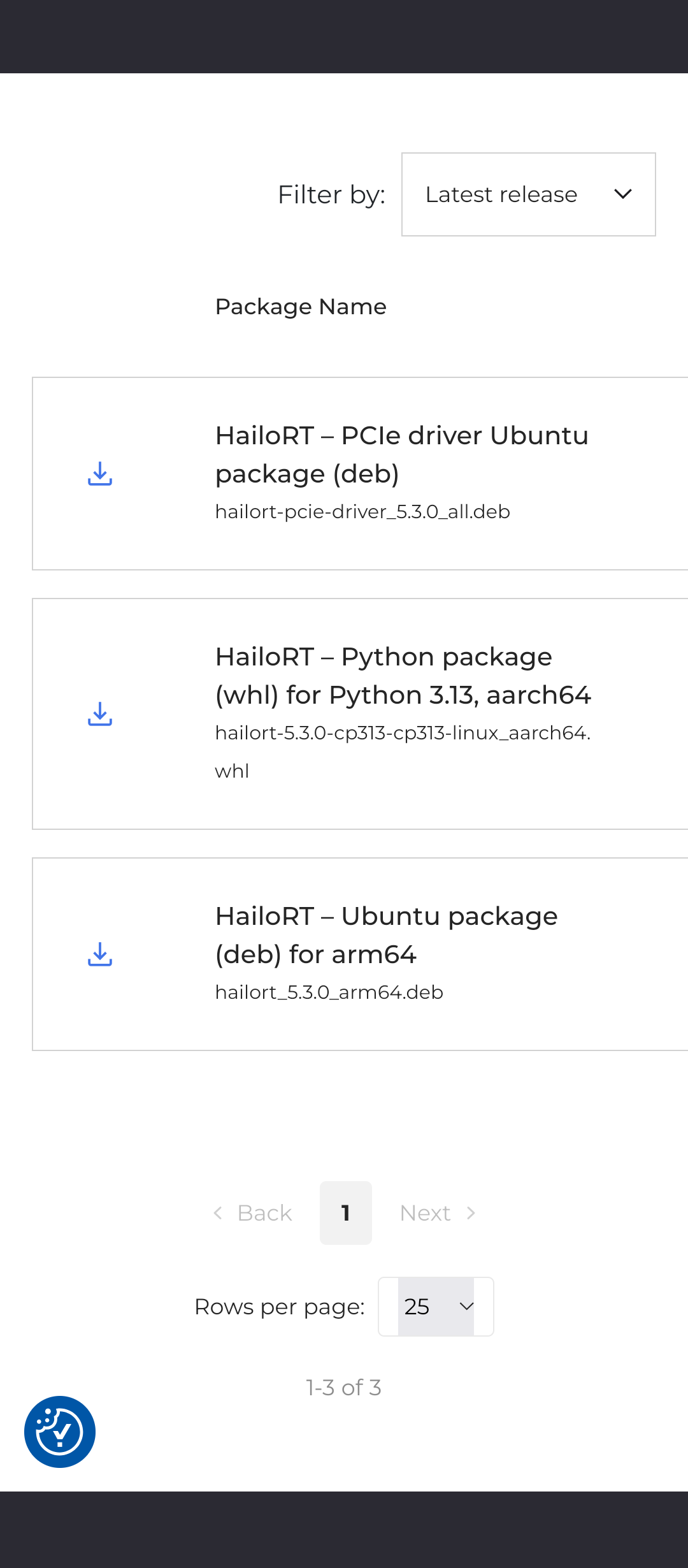
For Raspberry Pi AI HAT+ / Hailo-10H on Raspberry Pi OS / Debian Trixie, do not use Hailo Developer Zone Ubuntu .deb packages as the primary install path. The working Trixie packages I found came from Raspberry Pi apt repositories:
archive.raspberrypi.com/debian trixie/mainextranet.raspberrypi.org/hailo trixie/main
On my working Raspberry Pi 5 / Hailo-10H system, the relevant H10 packages are:
h10-hailorth10-hailort-pcie-driverhailo-h10-allpython3-h10-hailortrpicam-apps-hailo-postprocess
The card verifies with:
hailortcli fw-control identify
Expected identifying detail:
Device Architecture: HAILO10H
There is a separate H10 packaging bug that can break an otherwise correct Trixie install.
hailo-gen-ai-model-zoo 5.2.0 declares:
Depends: hailort
But on Hailo-10H hardware, the correct runtime is h10-hailort. The package literally named hailort is the Hailo-8 runtime, and it conflicts with the H10 runtime. In my recovery, apt tried to install hailort 4.23.0 and remove:
h10-hailorthailo-h10-allpython3-h10-hailort
That broke the H10 stack and hailo-ollama.
The upstream package fix should be one of:
hailo-gen-ai-model-zoo should depend on h10-hailort | hailorth10-hailort should declare Provides: hailort
I filed the detailed upstream issue here:
opened 11:50AM - 27 May 26 UTC
### Summary
Three independent packaging bugs in `hailo-gen-ai-model-zoo` 5.1.1 … → 5.2.0 cause `apt full-upgrade` on a Raspberry Pi 5 with a Hailo-10H AI HAT+ 2 to
1. delete the user's pulled LLM model HEFs (multi-GB data loss),
2. replace the H10 runtime with the Hailo-8 runtime even though the model-zoo binary requires the H10 runtime, and
3. leave the binary unable to find `libhailort.so.5.2.0` because no released package provides that *SONAME*. **The result is a service crash-loop and OpenWebUI showing no models**. I worked around all three on my host and validated end-to-end inference with the workaround in place; this report includes
1. the workaround,
2. root-cause analysis for each bug, and
3. proposed fixes.
(Filed here because issues are disabled on `hailo_model_zoo_genai`, `hailort`, `hailort-drivers`, `hailo_model_zoo`, and `tappas`. Issue #193 in this repo is a sibling report for the same hardware, so packaging bugs targeting the `RPi5/Hailo-10H` stack appear to be in scope here.)
### Environment
| Item | Value |
|---|---|
| Host | Raspberry Pi 5 (aarch64) |
| OS | Debian trixie |
| Kernel | `6.12.75+rpt-rpi-2712` |
| Card | Hailo-10H, FW 5.1.1 (`release,app`), bus `0001:01:00.0` |
| apt sources | `archive.raspberrypi.com/debian trixie/main` + `extranet.raspberrypi.org/hailo trixie/main` |
| Package versions before upgrade | `hailo-gen-ai-model-zoo 5.1.1`, `h10-hailort 5.1.1`, `python3-h10-hailort 5.1.1-1`, `hailo-h10-all 5.1.1`, `h10-hailort-pcie-driver 5.1.1` |
| Package versions after the broken upgrade | `hailo-gen-ai-model-zoo 5.2.0` (half-configured), `hailort 4.23.0` (replaced the H10 runtime), `h10-hailort` and `python3-h10-hailort` and `hailo-h10-all` REMOVED |
### Reproduction
```bash
sudo apt full-upgrade hailo-gen-ai-model-zoo
```
The transaction proposed (and the user accepted):
- **Upgrading**: `hailo-gen-ai-model-zoo` 5.1.1 → 5.2.0
- **Installing**: `hailort` 4.23.0
- **Removing**: `h10-hailort`, `hailo-h10-all`, `python3-h10-hailort` (all 5.1.1)
The upgrade aborted at the post-install step with:
```
Setting up hailo-gen-ai-model-zoo (5.2.0) ...
chmod: cannot access '/usr/share/hailo-ollama/models': No such file or directory
dpkg: error processing package hailo-gen-ai-model-zoo (--configure):
installed hailo-gen-ai-model-zoo package post-installation script subprocess returned error exit status 1
```
`hailo-gen-ai-model-zoo` was left in `iF` state. After the transaction settled, `hailo-ollama.service` crash-looped:
```
hailo-ollama: error while loading shared libraries: libhailort.so.5.2.0: cannot open shared object file: No such file or directory
```
OpenWebUI lost all models because the service couldn't start.
---
### Bug 1 — `hailo-gen-ai-model-zoo 5.1.1`'s `postrm upgrade` is destructive (DATA LOSS)
The 5.1.1 package's `postrm` script runs `rm -rf` on `/usr/share/hailo-ollama` (or its `models/` subtree) for the `upgrade` argument. In Debian's upgrade flow, the **outgoing** version's `postrm upgrade` runs *after* the new package's files have been unpacked. So when 5.1.1's postrm fires during an upgrade to 5.2.0, it deletes:
- The manifest tree that 5.2.0 just unpacked (`/usr/share/hailo-ollama/models/manifests/...`).
- The user's pulled HEFs in `/usr/share/hailo-ollama/models/blob/`. **This is user data — multi-GB downloads from `dev-public.hailo.ai`** that have to be re-pulled on a slow connection.
The 5.2.0 `postinst` then crashes with `set -eEuo pipefail; chmod -R a+w /usr/share/hailo-ollama/models` because the directory it expects no longer exists.
The 5.2.0 `postrm` script (visible after upgrade succeeds via the workaround below) is well-behaved — it only deletes `/usr/share/hailo-ollama` on the `purge` argument. So the destructive script is permanently gone after the upgrade settles, but only after it has already done the damage on this single transition.
**Proposed fix**: In future versions of `hailo-gen-ai-model-zoo`, scope any `rm -rf` in `postrm` to the `purge` case only — matching what 5.2.0's `postrm` already does. Standard Debian convention is that `upgrade`, `remove`, `failed-upgrade`, `abort-install`, and `abort-upgrade` must leave user data alone. Even if the project decides the manifest tree is package-owned (so dpkg removes it on its own during unpack), the `blob/` subdirectory is unambiguously user data and should never be removed by maintainer scripts on `upgrade`.
---
### Bug 2 — wrong runtime auto-installed by `Depends: hailort` (SERVICE-DOWN)
`hailo-gen-ai-model-zoo 5.2.0`'s control file declares only:
```
Depends: hailort
```
But its actual binary `/usr/bin/hailo-ollama` is dynamically linked against `libhailort.so.5.2.0`, which is provided by the H10 runtime (`h10-hailort`), NOT by `hailort` (the Hailo-8 runtime, which provides `libhailort.so.4.23.0`):
```
$ ldd /usr/bin/hailo-ollama | head -3
linux-vdso.so.1 (0x...)
libhailort.so.5.2.0 => not found
libssl.so.3 => /lib/aarch64-linux-gnu/libssl.so.3 (...)
```
The H10 runtime declares `Conflicts: hailort` and `Replaces: hailort` but **does not declare `Provides: hailort`**, so it cannot satisfy the model-zoo's dep:
```
$ apt-cache show h10-hailort | grep -E '^(Conflicts|Replaces|Provides)'
Conflicts: hailort
Replaces: hailort
```
Apt's resolver therefore picks the wrong runtime: it installs `hailort 4.23.0` (which satisfies the dep by name), and the H10's `Conflicts: hailort` then forces removal of `h10-hailort`, `python3-h10-hailort`, and `hailo-h10-all`. Result: the H10-built binary is left without its runtime.
**Proposed fix (either is sufficient — both is best)**:
1. In `hailo-gen-ai-model-zoo`'s control file, change `Depends: hailort` to `Depends: h10-hailort | hailort`. This expresses the actual reality (either runtime is acceptable, but H10 is preferred when present).
2. In `h10-hailort`'s control file, add `Provides: hailort (= <version>)`. This makes its presence satisfy `Depends: hailort` declarations, eliminating the asymmetry.
---
### Bug 3 — model-zoo binary requires `libhailort.so.5.2.0`, no package provides it (BLOCKER)
```
$ ldd /usr/bin/hailo-ollama | grep hailort
libhailort.so.5.2.0 => not found
$ dpkg -L h10-hailort | grep '\.so'
/usr/lib/libhailort.so.5.1.1
/usr/lib/libhailort.so
$ apt-cache madison h10-hailort
h10-hailort | 5.1.1 | http://archive.raspberrypi.com/debian trixie/main arm64 Packages
h10-hailort | 5.1.1 | https://extranet.raspberrypi.org/hailo trixie/main arm64 Packages
```
`hailo-gen-ai-model-zoo 5.2.0` was built against `libhailort.so.5.2.0`, but the only `h10-hailort` available in either Hailo apt source is 5.1.1, which ships `libhailort.so.5.1.1`. The model-zoo was released against a runtime version that has not been published.
**Workaround that I validated end-to-end**: symlink the missing SONAME to the available one and run `ldconfig`:
```bash
sudo ln -s libhailort.so.5.1.1 /usr/lib/libhailort.so.5.2.0
sudo ldconfig
```
After this, the service starts cleanly, manifests load, models pull, and chat inference returns coherent output via OpenWebUI. The 5.1.1 → 5.2.0 ABI is compatible *enough* for at least the inference paths exercised by `hailo-ollama` and `/api/chat`.
**Proposed fix**: Either ship a corresponding `h10-hailort 5.2.0` (or whatever package version actually provides `libhailort.so.5.2.0`) into both Hailo apt sources, OR rebuild `hailo-gen-ai-model-zoo 5.2.0` against the published `h10-hailort 5.1.1` runtime. The current state has the binary referencing a SONAME that doesn't exist anywhere — that's a release-process gap.
---
### Update (2026-05-26): Bug 2 recurred — more disruptively this time
Posting this 7 months after originally drafting because Bug 2 hit my host again, this time as a hard blocker.
What changed: the broken `Depends: hailort` was cosmetic in April — apt declined to plan transactions touching the hailo stack, but the rest of `apt upgrade` worked fine because `apt-mark hold` kept it from being relevant. Over the following months, 255 unrelated upgrades stacked up. Once that backlog crossed apt's tolerance threshold (apt's resolver eventually refuses to plan *any* transaction while a pre-existing unmet dep exists), the cosmetic break became total: `apt upgrade` errored out with
```
Unsatisfied dependencies:
hailo-gen-ai-model-zoo : Depends: hailort but it is not installed
Error: Unmet dependencies.
```
`apt --fix-broken install` could not resolve it — the only package literally named `hailort` is still the wrong runtime (Hailo-8 4.23.0), and the Conflicts/Replaces would still force removal of the H10 stack if we let it install.
Current package state on this host (`apt-cache show` snapshot, 2026-05-26):
```
$ apt-cache show hailo-gen-ai-model-zoo | grep -E '^(Version|Depends):'
Version: 5.2.0
Depends: hailort
$ apt-cache show h10-hailort | grep -E '^(Version|Provides|Conflicts|Replaces):' | head -8
Version: 5.1.1
Conflicts: hailort
Replaces: hailort
# ← still no Provides: hailort
$ apt-cache madison h10-hailort
h10-hailort | 5.1.1 | http://archive.raspberrypi.com/debian trixie/main arm64 Packages
h10-hailort | 5.1.1 | https://extranet.raspberrypi.org/hailo trixie/main arm64 Packages
# ← still no 5.2.0 anywhere
```
So 7 months on: `hailo-gen-ai-model-zoo 5.2.0` still depends on `hailort` while linking against `libhailort.so.5.2.0`, `h10-hailort` still does not Provide `hailort`, and the matching `h10-hailort 5.2.0` runtime has still not been published anywhere I can reach via apt.
**More durable workaround this time** — instead of the symlink workaround in the recovery procedure above, I locally rebuilt `h10-hailort 5.1.1` to add `Provides: hailort` and bumped the version to `5.1.1+local1` so it sorts above `5.1.1` (necessary to keep `hailo-h10-all`, `python3-h10-hailort`, and `rpicam-apps-hailo-postprocess`'s `Depends: h10-hailort (>= 5.1.1)` satisfied). Only `DEBIAN/control` and `DEBIAN/postinst` were edited; the data payload is byte-identical to upstream. The control-file diff is the single-line addition this issue has been asking for since April:
```diff
Version: 5.1.1+local1 ← bumped from 5.1.1 to sort above upstream
...
Depends: ...
+Provides: hailort
Conflicts: hailort
Replaces: hailort
```
After installing the rebuilt `.deb`, `apt-get check` exits 0, `hailo-ollama.service` stays healthy, and 232 unrelated package upgrades (including the kernel jump `6.12.75+rpt-rpi-2712` → `6.18.29+rpt-rpi-2712`) finished cleanly.
The fact that this one-line metadata fix is enough to unbreak everything is the strongest possible argument for Bug 2's proposed fix #2 (`Provides: hailort` on `h10-hailort`). Every H10 user is one stuck upgrade away from either re-hitting this or running a hand-patched `.deb` indefinitely.
---
### Validated recovery procedure
For anyone hitting this before Hailo ships fixed packages, this is the procedure that worked on my host. It involves bypassing apt's resolver via direct `dpkg` because apt insists on a "remove model-zoo" outcome that we don't want.
```bash
# 1. Re-unpack model-zoo 5.2.0 to restore the manifest tree and run postinst
sudo dpkg -i /var/cache/apt/archives/hailo-gen-ai-model-zoo_5.2.0_arm64.deb
# 2. Download the H10 runtime debs without letting apt orphan model-zoo
cd /tmp
apt-get download h10-hailort python3-h10-hailort hailo-h10-all
# 3. Force-install the H10 runtime (auto-deconfigure model-zoo, then reconfigure it)
sudo dpkg -i --auto-deconfigure \
/tmp/h10-hailort_5.1.1_arm64.deb \
/tmp/python3-h10-hailort_5.1.1-1_arm64.deb \
/tmp/hailo-h10-all_5.1.1_all.deb
sudo dpkg --configure --force-depends hailo-gen-ai-model-zoo
# 4. Symlink the missing SONAME
sudo ln -s libhailort.so.5.1.1 /usr/lib/libhailort.so.5.2.0
sudo ldconfig
# 5. Pin everything so the next `apt upgrade` doesn't re-break the system
sudo apt-mark hold hailo-gen-ai-model-zoo h10-hailort python3-h10-hailort \
hailo-h10-all h10-hailort-pcie-driver hailort
# 6. Restart the service and re-pull the lost models
sudo systemctl reset-failed hailo-ollama.service
sudo systemctl restart hailo-ollama.service
# Then: pull each desired model via curl -X POST http://localhost:8000/api/pull -d '{"name":"<model>"}'
# (Available manifests: deepseek_r1:1.5b, llama3.2:1b, qwen2:1.5b, qwen2.5:1.5b, qwen2.5-coder:1.5b)
```
After this, `hailortcli fw-control identify` reports the H10 card normally, `hailo-ollama` listens on `:8000`, and OpenWebUI sees the models again.
### Severity
- **Bug 1**: critical — causes data loss for any user with pulled models.
- **Bug 2**: critical — service-down on every upgrade until manually corrected.
- **Bug 3**: critical — package as published cannot run on its target hardware without manual intervention.
Together these mean the `hailo-gen-ai-model-zoo` package is currently un-upgradeable in place on its primary target platform (RPi 5 + Hailo-10H AI HAT+ 2). Any user who runs `apt upgrade` will lose their models and end up with a broken installation.
### Cross-posted
Posted to the Hailo Community Forum at `<FORUM URL TBD AFTER SUBMIT>` for visibility to other affected users.
If hailort 4.x was installed and the H10 packages were removed, this was the working recovery path:
cd /tmp
apt-get download h10-hailort python3-h10-hailort hailo-h10-all

sudo dpkg -i --auto-deconfigure \
  h10-hailort_*.deb \
  python3-h10-hailort_*.deb \
  hailo-h10-all_*.deb

sudo dpkg --configure --force-depends hailo-gen-ai-model-zoo

sudo apt-mark hold hailo-gen-ai-model-zoo h10-hailort python3-h10-hailort \
  hailo-h10-all h10-hailort-pcie-driver hailort
hailo-ollama misses libhailort.so.5.2.0If hailo-ollama fails with a missing libhailort.so.5.2.0, my system needed this workaround:
sudo ln -s libhailort.so.5.1.1 /usr/lib/libhailort.so.5.2.0
sudo ldconfig
sudo systemctl restart hailo-ollama.service
This is only a workaround. The real fix is for the package set to ship a matching h10-hailort 5.2.0, or for hailo-gen-ai-model-zoo to be rebuilt against the published h10-hailort 5.1.1 runtime.
The durable local workaround I used was to rebuild h10-hailort 5.1.1 with:
Provides: hailort
added to DEBIAN/control, and version it as:
5.1.1+local1
Using +local1 matters because it sorts above 5.1.1, keeping reverse dependencies such as hailo-h10-all, python3-h10-hailort, and rpicam-apps-hailo-postprocess satisfied.
After installing that locally rebuilt package, apt-get check was clean and later general upgrades worked. Kernel upgrades still need care: verify hailo1x_pci DKMS is built for the new Raspberry Pi kernel before rebooting.
For Raspberry Pi kernel upgrades, do not reboot into a new kernel until DKMS confirms the Hailo PCIe module exists for that kernel:
dkms status hailo1x_pci
On my verified system, the Hailo card remained healthy after a kernel upgrade once hailo1x_pci/5.1.1 had built successfully for the new +rpt-rpi-2712 kernel.