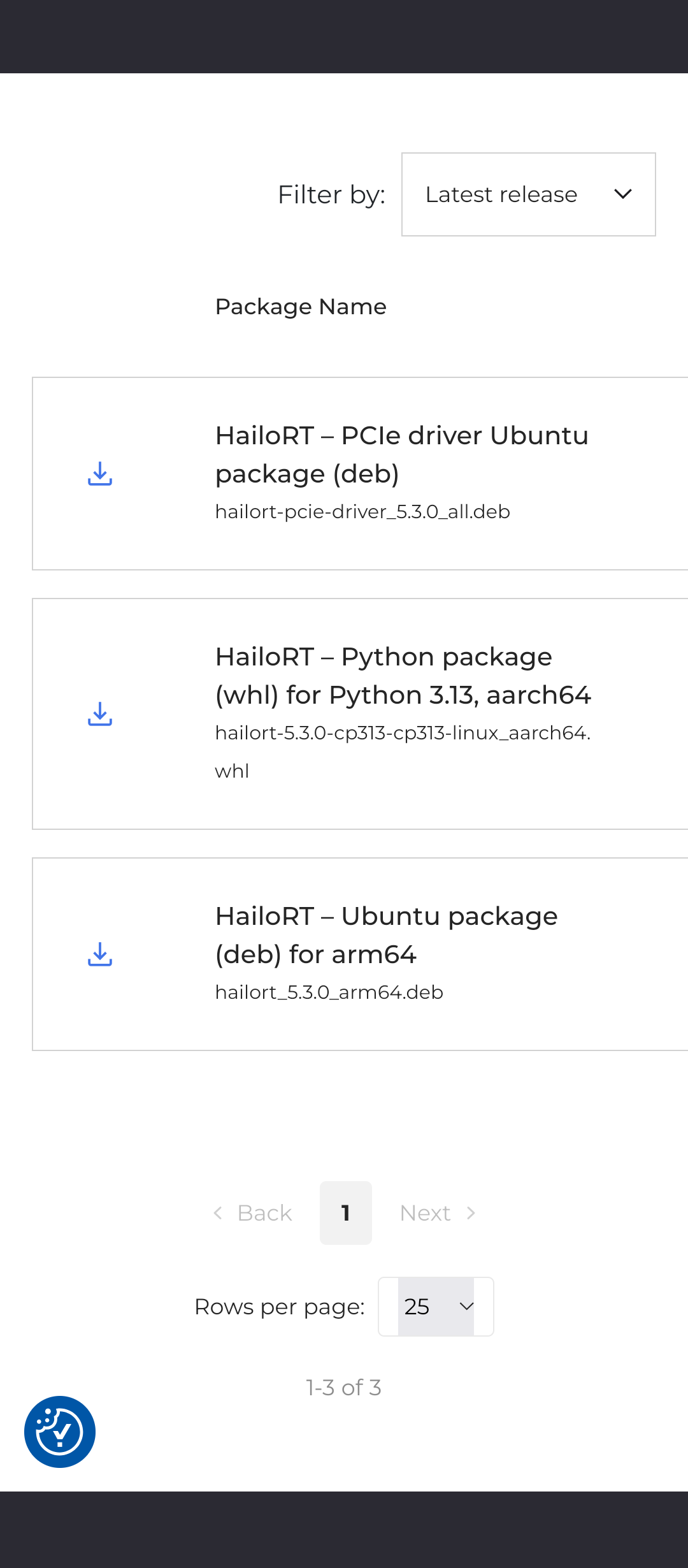
Missing Debian Trixie packages in developer zone. I can’t find any packages for Debian Trixie, there are only for Ubuntu.
I selected:
- Ai suite
- HailoRT (only this has arm64, which I suppose is for raspberry pi 5)
- Arm 64
- Linux
- Python 3.13
And as on the screenshot, only Ubuntu packages - where are Debian Trixie packages?
I completed original Raspberry Pi AI HAT+2 tutorial and my new device does not work
Welcome to the Hailo Community!
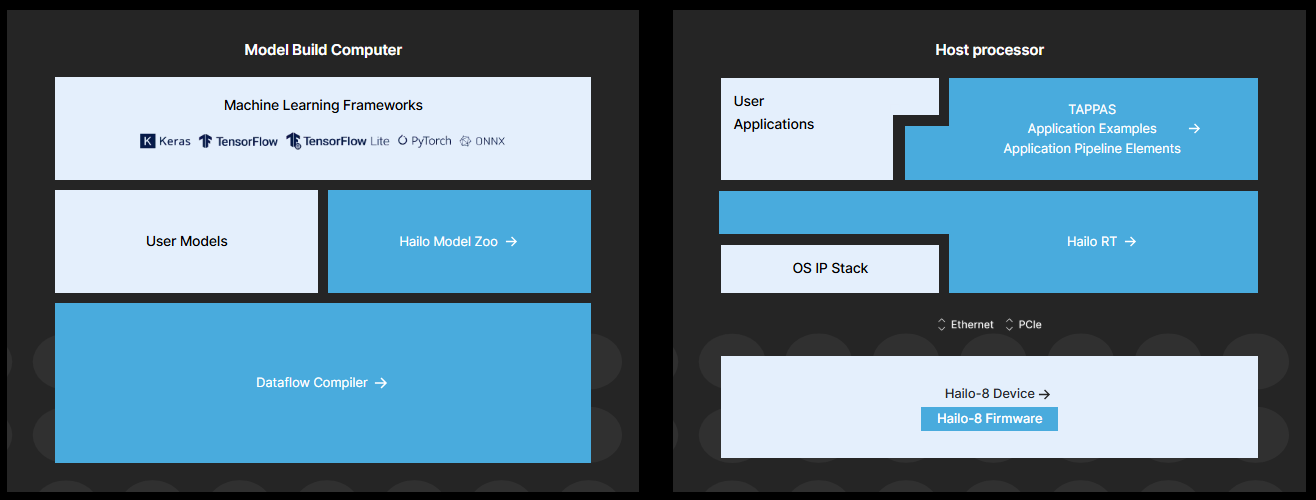
The Hailo AI Software Suite is supported only on x86 systems running Ubuntu 22.04 or 24.04. This environment is referred to as the Model Build Environment (shown on the left in the diagram below).
The HailoRT Runtime (shown on the right) is more flexible and can run on multiple host architectures, including x86 and Arm. It is open source and available in our GitHub repositories. We also provide prebuilt packages and documentation in the Developer Zone to help you deploy applications on supported platforms.
The support for the Raspberry Pi HATs should be installed following the Raspberry documentation.
Raspberry Pi - Documentation - AI
The Ubuntu packages tend to work on Debian as well.