Hello Hailo Community!
Thank you for the interest in this project! Please note that this was developed as a short-term Proof of Concept (PoC) to explore Hailo’s connection to OpenClaw.
Due to the rapid evolution of the ecosystem and shift toward focusing on Hailo’s core strengths—specifically Computer Vision and Whisper via MCP—this project is no longer being actively maintained. We recommend users “bring their own LLM” for OpenClaw’s agentic requirements.
The code is available for experimental use, and community forks are encouraged.
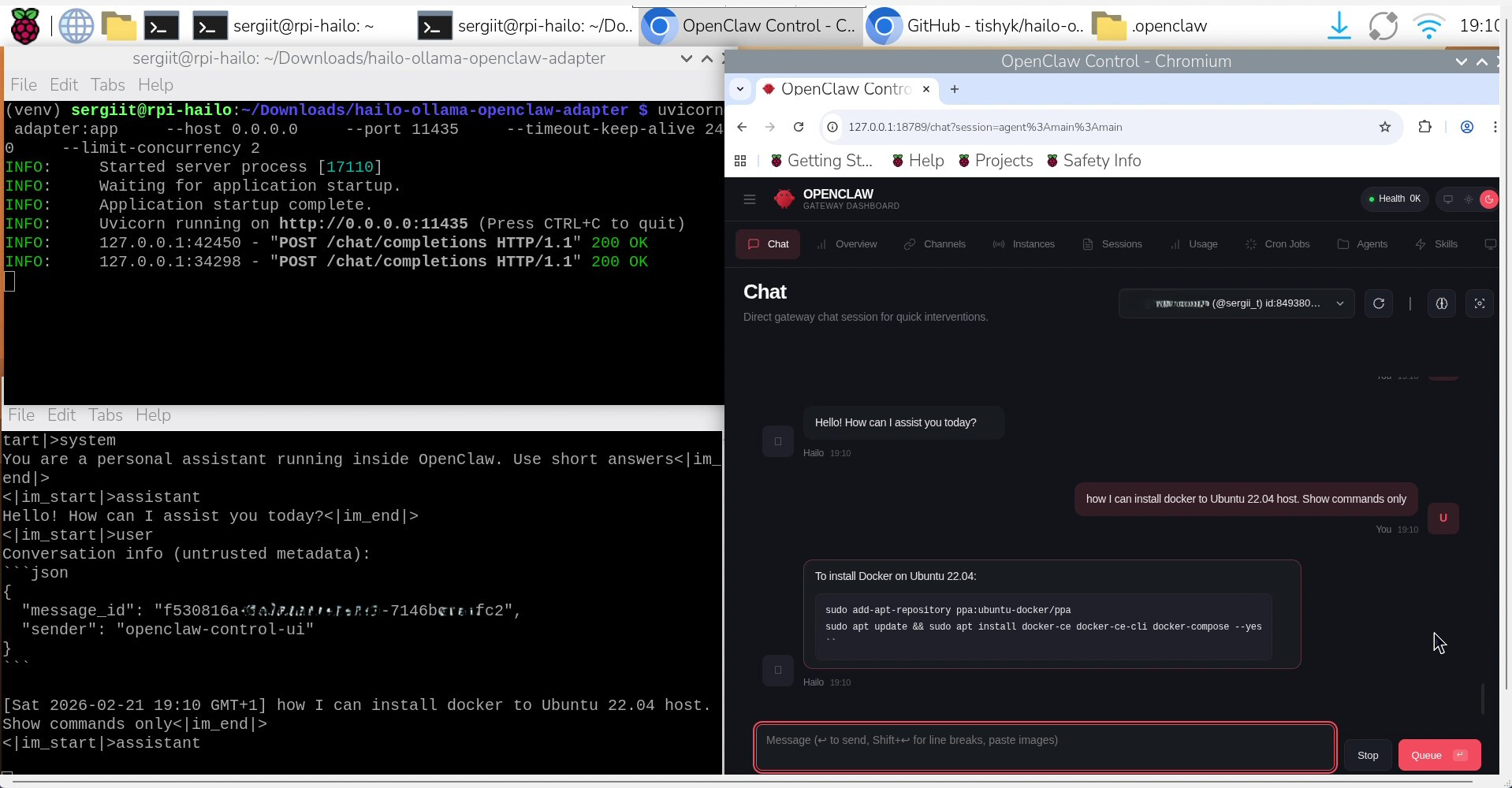
I want to share a small but useful bridge I built to get OpenClaw talking to Hailo-Ollama server (Hailo Model Zoo Gen AI) on Raspberry Pi 5 with Hailo accelerators (AI-HAT+2 in my case).
If your Raspberry Pi 5 is currently running Ollama and your CPU cooler is revving like it’s launching into orbit — you will need next setup!
The only thing standing in your way? Hailo-Ollama doesn’t speak the exact OpenAI /v1/chat/completions dialect OpenClaw expects by default.
This lightweight proxy https://github.com/tishyk/hailo-ollama-openclaw-adapter bridges the gap: it redirects requests, trims context to prevent overload, reformats responses, and makes everything work smoothly.
It’s very simple: redirects requests, trims context to last user message (to avoid overload on smaller models), reformats responses, and lets you chat via OpenClaw dashboard or Telegram/WhatsApp/etc.
Tested on:
-
Raspberry Pi 5 (64-bit Raspberry Pi OS) with 8Gb of RAM
-
Hailo AI HAT+2 / Hailo-10
-
OpenClaw: 2026.2.9 (Manual is not working already for April releases)
-
Hailo Model Zoo GenAI 5.2.0
-
Python 3.13 in venv
Prerequisites (already assumed done)
-
Hailo drivers + platform tools installed
-
Hailo-Ollama server running on default port 8000 with at least one compatible model pulled (e.g. qwen:1.5b, smaller is better for speed)
-
OpenClaw installed and dashboard accessible
If you’re missing any of those → check official Hailo docs or community threads for installation.
Updated setup guide for OpenClaw 2026.04.20 and Hailo MZ GenAI v5.3.0
Setup Steps for OpenClaw 2026.02.09 and Hailo MZ GenAI v5.2.0
- Clone the repository
git clonehttps://github.com/tishyk/hailo-ollama-openclaw-adapter.git
cd hailo-ollama-openclaw-adapter
- Create & activate virtual environment
python3 -m venv venv
source venv/bin/activate
- Install dependencies
pip install -r requirements.txt
- (Optional) Review / tweak adapter.py
Open adapter.py and check:
-
hailo_url = “http://localhost:8000/api/chat” → change port if your Hailo-Ollama is not on 8000
-
Context trimming (keeps only latest user messages)
-
Response reformatting block
Defaults work for most cases.
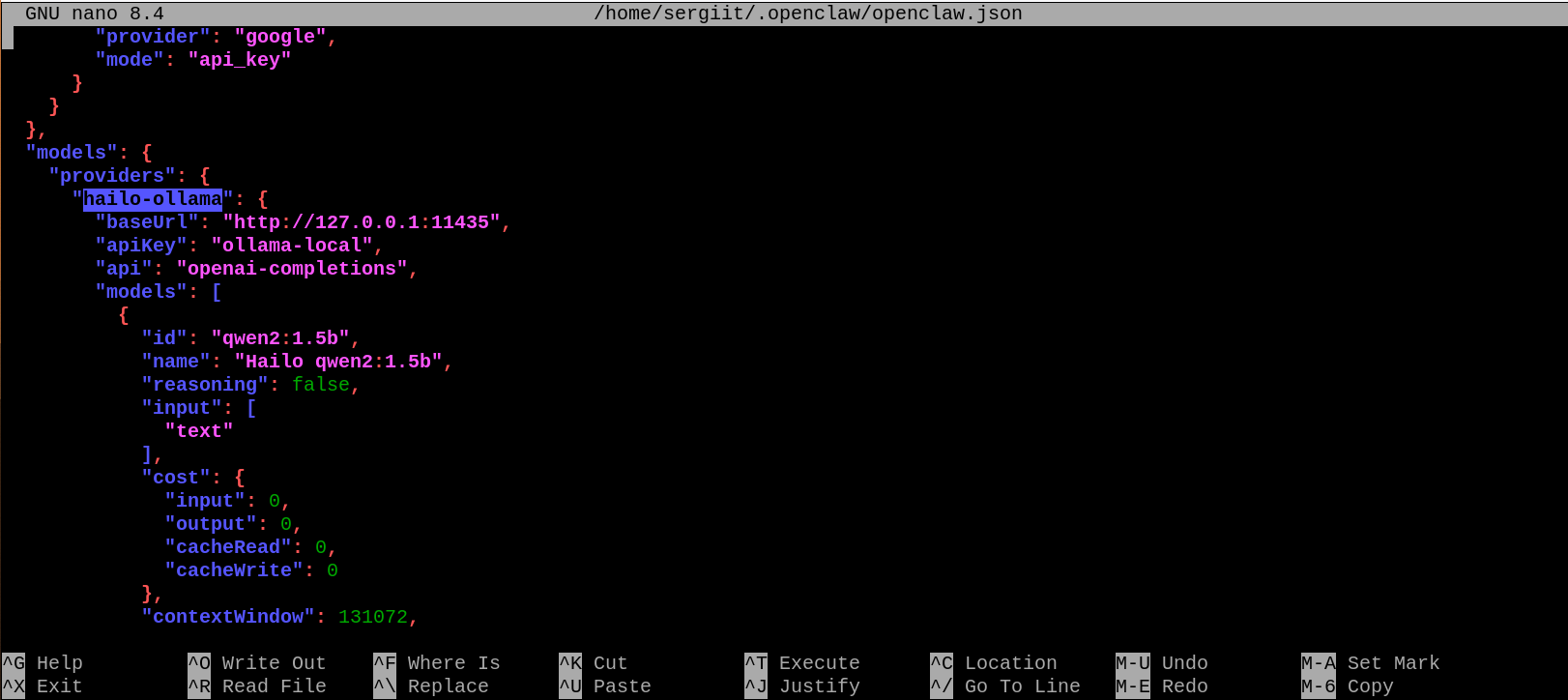
- Update your openclaw.json configuration file
Locate openclaw.json (usually ~/.openclaw/ or in install folder).
Add/update a provider like this (check openclaw_example.json).
…

Important: Use port 11435 (adapter listens there)
- Restart OpenClaw gateway
openclaw gateway restart

- Start the adapter (inside venv)
. venv/bin/activate
uvicorn adapter:app --host 0.0.0.0 --port 11435 --timeout-keep-alive 240 --limit-concurrency 2

- Make sure Hailo-Ollama is running in a seperate terminal window
hailo-ollama
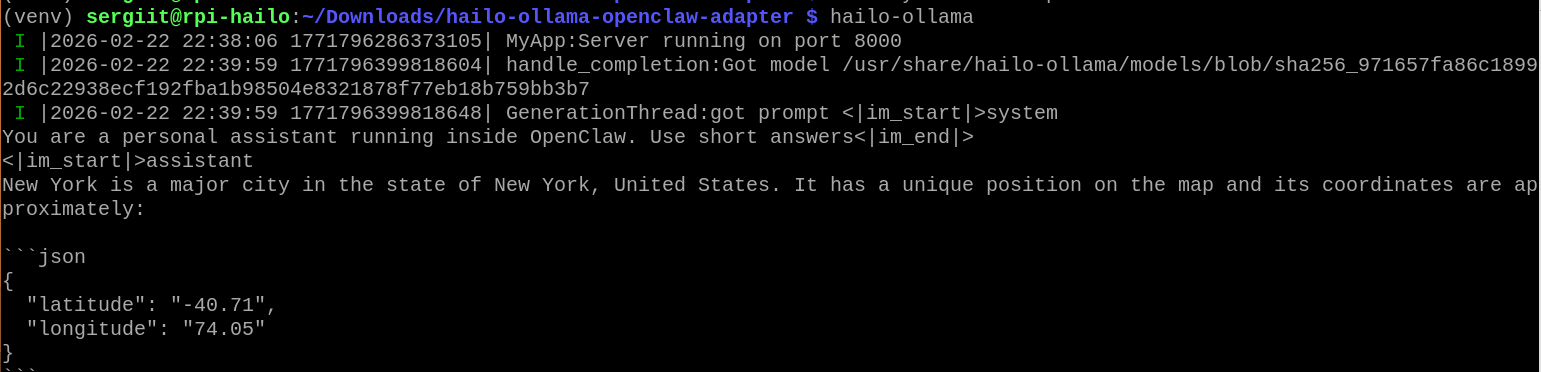
Confirm listening on http://localhost:8000
- Test in OpenClaw Dashboard
- Open dashboard with command:
openclaw dashboard
-
Go to Agents / Models / Providers
-
Look for hailo-ollama-local → should show as available
-
Go to Chat
-
Send test: Hello! Tell me a short joke about AI hats.
You should get fast, Hailo-accelerated response. Don’t forget - it will take longer for the first time hailo-ollama server started because of the model loading.
Troubleshooting
-
Provider not visible → check JSON syntax + restart gateway
-
Adapter gets no requests → wrong baseUrl (must be 127.0.0.1:11435)
-
Timeouts from Hailo → try smaller model, check Hailo-Ollama logs
-
Context too long → adapter already limits to last 2 messages
Final Notes
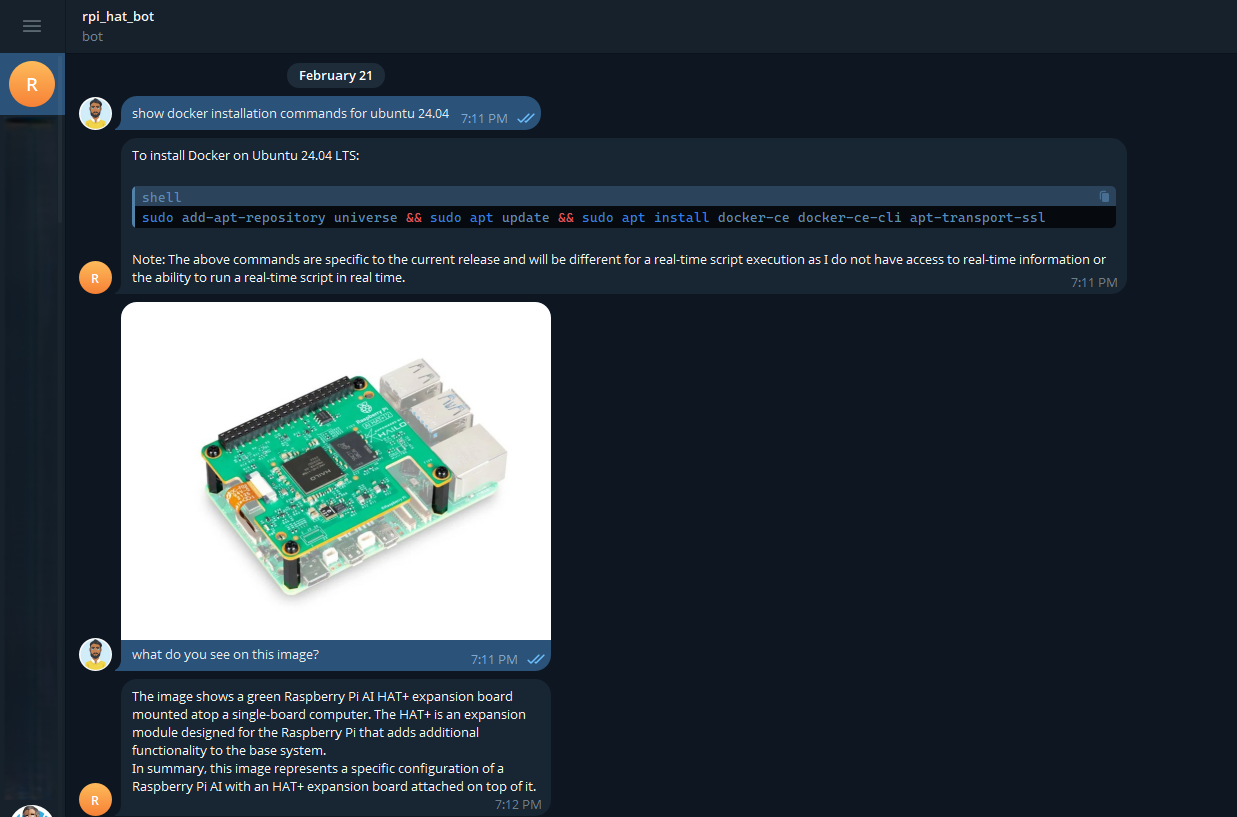
This is a minimal adapter — no streaming yet, no full tool calling support, but it gets basic chat working very nicely with Hailo acceleration and zero cloud. I tested it with qwen:1.5b model and telegram bot and found possible to put images or send voice over the Telegram bot to get answers.
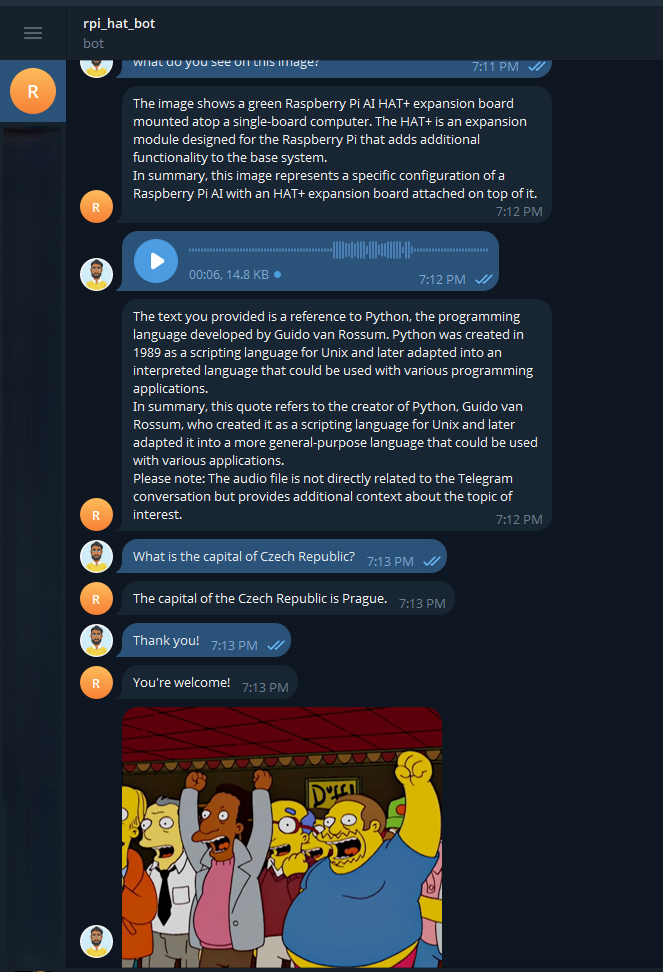
Feel free to fork, PR improvements (streaming would be cool!), or ask questions here.
I’ll add screenshots and a short demo video later.
Thanks for reading!
