Hi,
My RPi5 just got updated by the automatic updater, and now my AI+2 Hat isn’t detected.
It was previously running fine with (installed using sudo dkpg -i):
hailort-pcie-driver_5.3.0_all.deb
hailort_5.3.0_arm64.deb
I uninstalled both (sudo apt purge hailort-pcie-driver hailort) and tried reinstalling, but am unsuccessful with reinstalling hailort-pcie-driver package (See below). I have confirmed that SecureBoot is disabled.
Can you please help me troubleshoot this , thanks!
sudo dkpg -i hailort-pcie-driver_5.3.0_all.deb Output:
build-essential/stable,now 12.12 arm64 [installed]
Failed to install PCIe driver to the DKMS tree. Trying to install PCIe driver without DKMS
Failed. Exited with status 2. See /var/log/hailort-pcie-driver.deb.log
dpkg: error processing package hailort-pcie-driver (–install):
installed hailort-pcie-driver package post-installation script subprocess returned error exit status 2
Errors were encountered while processing:
hailort-pcie-driver
Hi @user572,
(1)
Can you please share the results of:
dpkg -l | grep hailo
and:
pip list | grep hailo
(2)
We know there was an issue with recent apt update but it was fixed:
Cannot find tappas-core version 5.1.0 - #3 by Michael Maybe you still have the mixed versions.
(3)
Anyway, complete uninstall:
Raspberry Trixie Error with Guide (Pi 5, AI Hat 2) - #18 by Michael and then manual installation of Debians and Wheels obtained from our developer zone is always an option - however we suggest using the official way: https://www.raspberrypi.com/documentation/computers/ai.html
Thanks,
Hi Michael, I managed to fix this myself while awaiting a reply. Not sure if it’s a secure way, but it worked. Here it is for your feedback:
-
Clean up failed install
sudo dpkg --purge hailort-pcie-driver
sudo rm -rf /var/lib/dkms/hailo1x_pci
-
Extract the Driver Source
mkdir ~/hailo_fix && cd ~/hailo_fix
dpkg-deb -R /path/to/your/hailort-pcie-driver_all.deb extracted_pkg/
-
Patch the Driver Code
Open linux/pcie/vdma/monitor.c and directly rename del_timer_sync to timer_delete_sync
-
Recompile and Install
cd ~/hailo_fix
dpkg-deb -b extracted_pkg/ hailort-pcie-driver-fixed.deb
sudo dpkg -i hailort-pcie-driver-fixed.deb
Answering your original question, here’s the output of the two commands:
dpkg -l | grep hailo
rc hailo-tappas-core 5.1.0 arm64
ii hailort 5.3.0 arm64
ii hailort-pcie-driver 5.3.0 all
pip list | grep hailo
Hi @user572,
I would still suggest going with the methods I provided.
Looks like you have mismatch - either all 5.3 or 5.1, they can’t be mixed.
Okie thanks.
Using the official way (sudo apt install hailo-h10-all), will 5.3.0 be installed though, or is it still at an earlier version?
Hi @user572,
Still 5.1.
Soon 5.3 will be released.
Thanks,
Michael.
Okie noted, in the meantime I’ll continue to use the 5.3.0 debian packages from the Downloads zone.
I had uninstalled tappas-core 5.1.0 already, so the ‘rc hailo-tappas-core 5.1.0 arm64’ entry actually only refers to leftover config files (which I have now also removed).
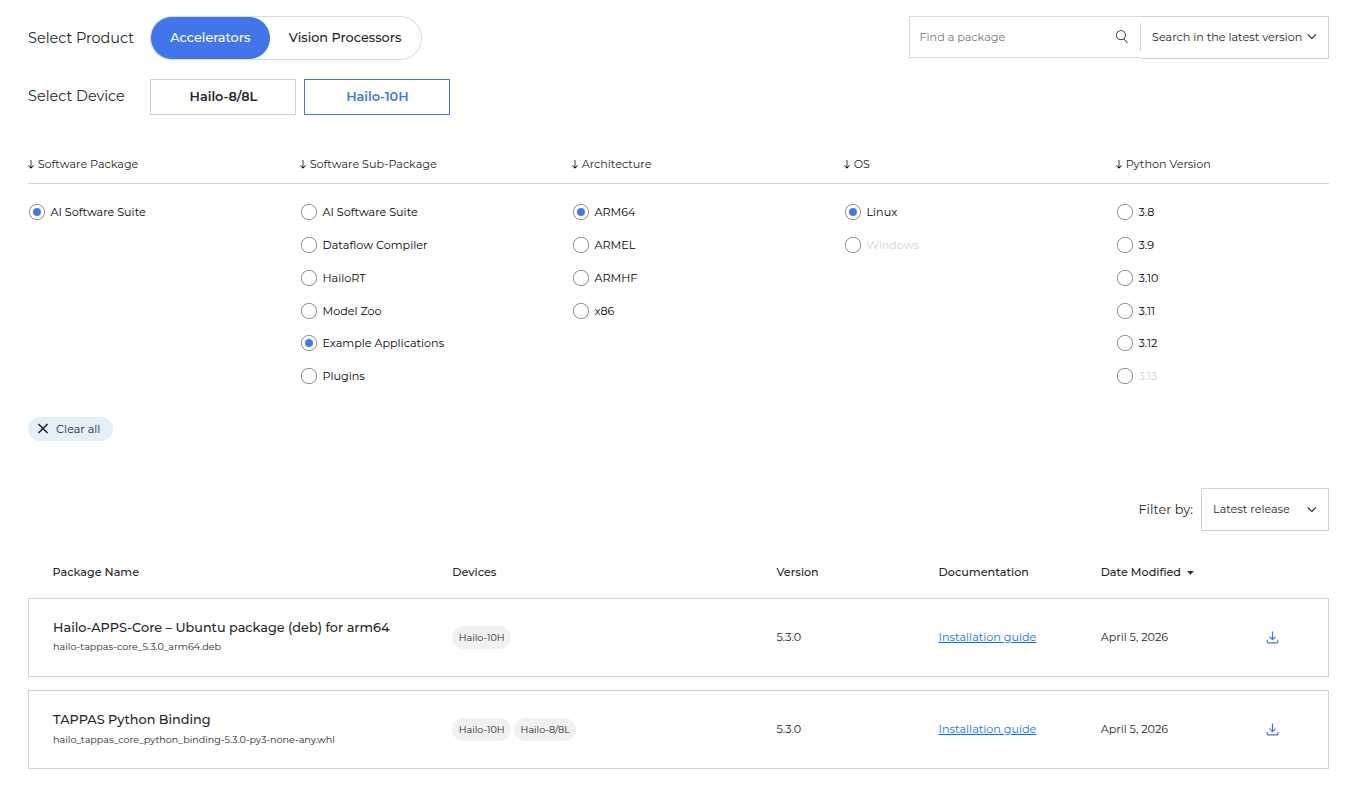
where can I get 5.3.0 of hailo-tappas-core? It’s not provided in the Downloads section of the Developer Zone even after selecting the correct filters.
Thanks!
I’ve ran into the same issue, managed to fix by patching
/var/lib/dkms/hailo1x_pci/5.3.0/source/linux/vdma/monitor.c
should use timer_delete_sync instead of del_timer_sync from linux kernel 6.15 and up
— linux/vdma/monitor.c	2026-04-09 03:15:47.000000000 +1200
+++ /var/lib/dkms/hailo1x_pci/5.3.0/source/linux/vdma/monitor.c	2026-05-14 10:21:14.314988153 +1200
@@ -50,5 +50,5 @@

void hailo_vdma_monitor_stop(struct hailo_vdma_monitor *monitor)
{
- del_timer_sync(&monitor->timer);
+ timer_delete_sync(&monitor->timer);
}
Tks, I’m referring to the TAPPAS Core .deb package though (and not the Core Bindings wheels) cos I want to work with the GStreamer pipeline apps.
Where can I get the Core .deb?
Or are you saying that the Wheels can be used for this too?
ok I see it now: hailo-tappas-core_5.3.0_arm64.deb .
It disappears when any of the Python versions is selected.
1 Like
Hi @user978,
I would not suggests doing edits.
What exactly is your setup and what was not working?
Basically this thread is about installation process issues and setups with mixed versions - which are not allowed, and the fix should be simply installing a complete valid setup.
Thanks,
Hi Michael,
My setup being a Raspberry pi 5 with AI Hat 2+, Raspberry pi os / trixie, and Hailo 5.3.0 installed from latest packages downloaded from developer zone.
During a recent apt update, the update process broke at installing new kernel with the above mentioned ”Failed. Exited with status 2. See /var/log/hailort-pcie-driver.deb.log”, leaving the apt update in limbo, and disabling the hailo pci driver.
The error log clearly instructs to see the hailort-pcie-driver log, and looking at it was clear that the build was failing at del_timer_sync nonexistent. Since the very same driver worked with the previously installed kernel, it was most likely a kernel incompatibilty.
A quick search revealed that del_timer_sync was deprecated in favour of timer_delete_sync in linux kernel 6.15, and has caused the exact same problems for other dkms drivers out there.
This is clearly a compatibility issue in the hailo1x_pci driver code, luckily with a simple fix.
(And yes, a proper fix would include kernel version dependent compiler code to determine if del_timer_sync or timer_delete_sync is to be used in a particular environment)
Tamas
1 Like
Hi @user978, @user572
Thanks for the detailed responses and raising this very important issue.
You are right - there is an issue. Looks like indeed Kernel update caused compatibility in our driver version 5.3 - However please note that officially only version 5.1.1 is supported on Pi - the one that comes from sudo apt install hailo-h10-all: https://www.raspberrypi.com/documentation/computers/ai.html
and for that version del_timer_sync is not used.
Thanks,
Hi Michael, thanks for the clarification around this.
Running with 5.1.1 prevents us from using many models, eg all the vision language ones like Qwen2-VL (>5.2.0) and Qwen3-VL (>5.3.0).
Esp for Raspberry Pi users, this is a big wasted opportunity. (I personally bought this Hat specifically to use them).
Anyway I know you’ve mentioned you’re working on getting hailo-10-all updated to 5.3.0. Look forward to it!
3 Likes
Thanks @user572 - Indeed we are working to bump for 5.3, and this topic helped us to prevent the del_timer_sync issue down the road 
1 Like
keep checking the kernel for you raspberry. you need the latest kernel module.
uname -r
if this gets updated with the update, you need to match it with the drivers of hailo
Hi Michael, just checking in hows the progress with getting hailo-10-all updated to 5.3.0? Any timelines we can expect? Tks!
@Michael any updates on v5.3.0 for RPI?