I like to run a variety of services to support art projects (like this one, github | youtube), preferring to run services as network API endpoints on small devices like Raspberry Pi.
The Hailo-10H Raspberry Pi AI HAT+ 2 is a little miracle worker running the Hailo-provided apps and models, but the NPU does not like to “share” the inference context, making it difficult to run multiple gen AI services at once.
Firing up a second service would always get me…
HAILO_OUT_OF_PHYSICAL_DEVICES(74): Failed to create vdevice.
there are not enough free devices. requested: 1, found: 0
(And if I’m missing something, somebody please tell me!)
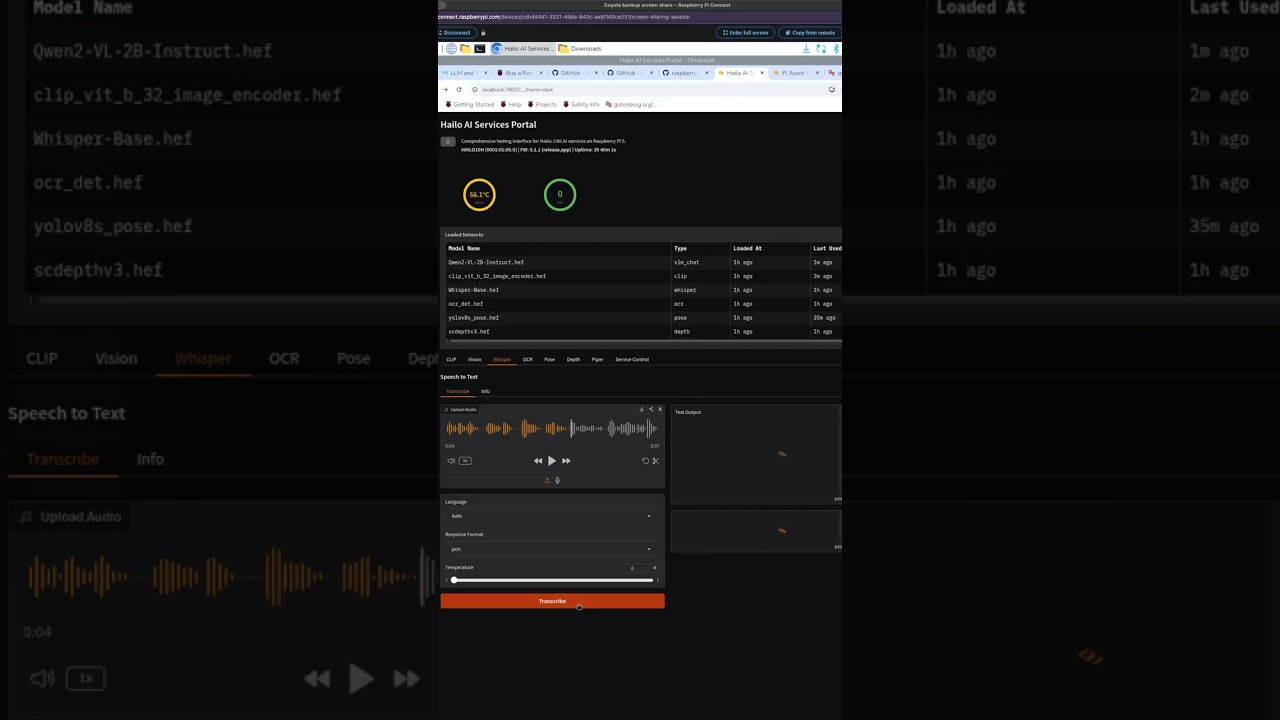
So I repackaged the Hailo-provided Qwen2-VL, CLIP, Whisper, OCR, Pose, and Depth services (and the CPU-only Piper service) to run as system services on the Raspberry Pi, and coded a “device manager” to manage the “VDevice” allocation to each service in turn on demand via APIs and queuing.
Here is a demo video! I coded up a gradio interface to allow easy testing / demonstration of all of the APIs running on my Raspberry Pi with Hailo-10H:
Here is the code repo:
A special (sad) note about Ollama: Hailo’s provided Ollama server is awesome, but it’s all bundled up in a binary that won’t “play nice” with my device manger strategy. I’m working on that one!
I’m pretty new to this stuff, so if anyone has better solutions or suggestions, let me know; and if anyone can use any of the code, I’d love to know how you’re using it!
Oh wow, thanks @Michael ! I had no idea about that!
I will absolutely compare, and try to understand whether the linked document could be a much cleaner built-in solution for my reworked-as-API apps and queuing requests. I would sure love for a little flag to just kind of “make everything work” rather than the complications I went through!
Second response (my first is awaiting moderator approval) –
My coding agent suggests that the linked solution may not have the scope I implemented in my solution?
SHARED_VDEVICE_GROUP_ID only enables shared VDevice group access for supported combinations and it explicitly does not allow GenAI + GenAI in parallel. Your architecture targets multiple GenAI-style services concurrently (Vision/CLIP/Whisper/etc.), which the Hailo guide says is not supported with shared group IDs alone. The device manager is still necessary to serialize requests and safely multiplex a single VDevice across multiple GenAI services.
Details grounded in the doc:
The guide states GenAI + GenAI is not supported; only Vision + Vision or Vision + GenAI are supported. That means multiple GenAI services can’t run concurrently just by setting a shared group ID.
The shared group ID addresses device grouping, not request serialization or model residency. Your device manager also handles queueing, model cache, and single-owner VDevice guarantees.
If I’m missing something, if I can actually run all of my apps using SHARED_VDEVICE_GROUP_ID and it will “just work,” somebody please clue me in!